Showing posts with label picasa. Show all posts

Friday, November 20, 2009

New Picasa Book for Version 3.5

With the visit to Google, and rewriting our Beginner’s Guide to Picasa, there hasn’t been much RVing to write about here.


PicasacoverPicture2[1] So let me tell you about the book.  I’m really proud of it.  In the process of updating it to version 3.5, I also expanded it.  The previous book was 40 pages – now it’s 60.  And, I recorded several new videos to go along with it.  We’re selling the printed book with the DVD of videos in the back.  All the videos are available to our members, so they can buy the instant downloadable eBook!  I even made a video to talk about the book:

View Table of Contents and Sample pages

Buy the Book w DVD for $29.95

Buy the eBook for $9.95 with instant download

Become a Geeks on Tour Member to gain access to *ALL* our videos plus our private support forum - $39 for one year


Having worked personally with hundreds of Picasa users, I think I understand the most important things they need to know in order to be successful with Picasa.  Those things are in the book. Let the orders start rolling in! :-)

Monday, November 16, 2009

Impressions of Google

When you see things first hand, they’re never as good as the hype.


Except for Google!  Everything you’ve ever heard about their reputation for being a good work place, a crucible for innovation, and lots of energy … it’s all true.  It was a very memorable experience.  What we tend to tell people about the most is the food!  Every building – and there are lots of them – has a cafeteria.  But, you’ve never seen cafeteria food like this.  I had stuffed portobello mushrooms with goat cheese and sundried tomatoes.  Jim had savory roast chicken and couscous.  I had dessert pastries to-die-for.  We ate in the main building’s cafeteria with I’d guess at least 250 other people, all eating this gourmet fare.


FOR FREE


Yep, if you work at Google, you eat free.  So cool.  And – you’re encouraged to exercise and play, and get massages!  All at work, all for free or subsidized.  The company puts it’s money where it’s mouth is when they say that happy, healthy employees are productive employees.


You get the distinct impression that all the employees want to do good.  They want to make their bosses proud.  Because I was on a panel the first day we were there – lots of people recognized us on the second day when we were at Google’s offices.  They came up and shook our hands and said things like, “I’d really like to talk to you about an idea my team has …”  Or, “We’d really like to know how you, and your customers, use our products.”  The energy was just buzzing.


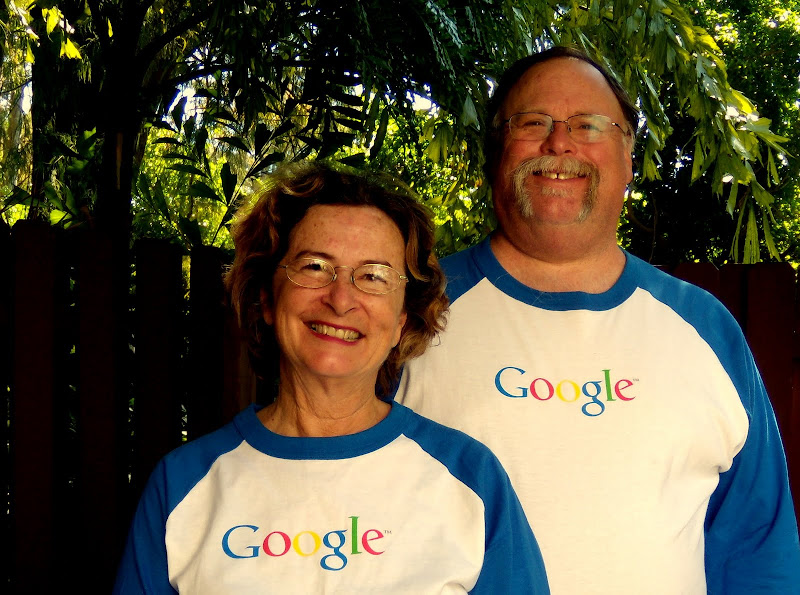
If we were 20 years younger – we’d be knocking on HR’s door – they call it People Operations.  As it is, we kinda like what we do even more!  But, we felt proud to be a part of the Google team even for a day!  We made sure to stop by the store and get a couple of t-shirts!


The recording of the Picasa Webinar is supposed to be available by the end of this week.  I’ll let you know a link then. 

Sunday, September 27, 2009

Picasa Fans

Our last session of the Computer Boot Camp was all about Picasa.  Here’s some of the conversations you could have overheard,


“Oh, so *there’s* the pictures I thought I’d lost!!”


“That was SOO easy!  Now that I know how to get pictures from my camera to the computer, I have hundreds of photos to put on.”


“Wow!  Scanned photos from 40 years ago look great after a little editing in Picasa.”


Here’s a few new fans of Picasa:


Thursday, January 01, 2009

Happy New Year

I always long for adventure and travel. I just can't imagine a better lifestyle that living in an RV, traveling the highways of this huge country, and never knowing what tomorrow may bring. As we have been settled in one spot for a few months, I start to feel that life is bland. I tell Jim that we're boring, it's been so long since we've traveled.
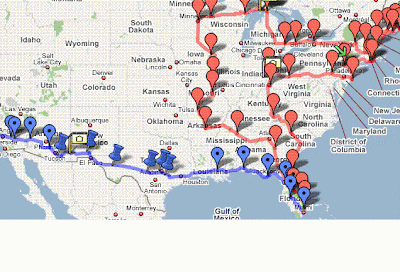
Then I look at the Blog. Thank heaven for the blog and our pictures to remind me of our wonderful life! I mean, how many people do you know that have been in more than 20 states this year? And, not by plane and hotel. We *lived* in 20+ different states.
I find myself lamenting that we aren't doing the kind of sales of our Tutorial Videos that I think we should, then I realize that we only first developed our Tutorial Video DVDs in January of this year. It was at the Pomona FMCA rally that we confirmed that people liked our tutorials enough to pay for them! That seems like so long ago - but it was just in late February of this year. Then, this summer we had a real 'Tour' of several RV Rallies where we did our seminars and sold our tutorials. We finally visited New England - something that was on our list since our first year on the road. We saw Niagara Falls - a place I had never been. We filled in our map of visited states - all except North Dakota! Gotta leave something left to do! Then, we've finished the year by being here in South Florida - without a doubt the best weather in the country - and surrounded by so many family and wonderful old friends. We have really had it *all* this year. Life just doesn't get much better. This will be hard year to beat! But, we're going to try in 2009! Here's our 2008 in pictures - unfortunately, the quality suffers in the upload and formatting process. It was just a few clicks to create this slideshow movie using Picasa 3. It automatically makes the pictures play in the exact length of time it takes for the music to play. I just could not cut down the pictures to less than 156! So, it has to flip them pretty fast to fit the 2.5 minute song. I chose the 'I'm into something good.' song from Herman's Hermits after seeing them live in concert at the Pomona FMCA convention. We kind of adopted this as our theme song :-)

 For our members who want to learn how to do movies like this with Picasa - there is a tutorial video on the Picasa page. It's called "Make a Movie from Photos."
Further your computer education **Subscribe to the Free Geeks on Tour Newsletter**

Sunday, September 07, 2008

Cancer-Free photo retouching

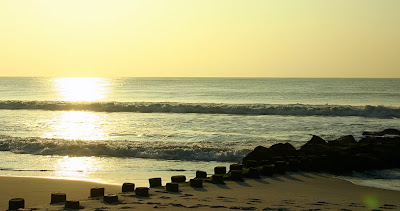
After the storm last night, I thought the beach might have some dramatic scenery this morning. So I grabbed my camera and headed across the street (yep, it's only 2 blocks to the beach from here - so nice.)

The storm didn't seem to make much difference in the ocean - it was more of an inland storm - but it was pretty anyway.

From Geeks on Tour Blog 200809
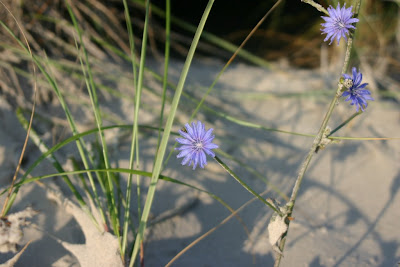
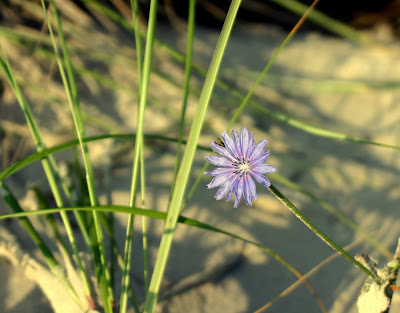
As much as I like taking the photos, I also like working with them in Picasa and making them look better. Like this flower photo. Here's the original:
From Geeks on Tour Blog 200809
And here it is after a few clicks in Picasa:
From Geeks on Tour Blog 200809
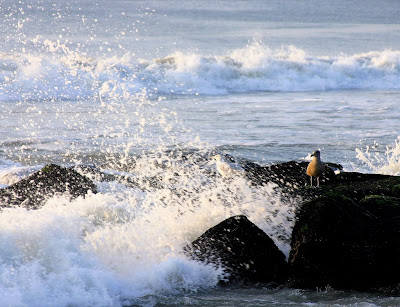
Or these birds in the wave. Original: Edited version:
From Geeks on Tour Blog 200809
In the bird photo, I even used Picasa 3's new 'retouching' feature to erase some white spots of water drops from the brown bird. So much fun! Lots of videos at www.GeeksOnTour.com will show you how to work with Picasa. And, you can bet there'll be lots more videos coming now with Picasa 3! One of my first jobs out of college was as a photo 'spotter' at a color photo lab in San Francisco. This meant taking a very fine point paint brush, dipping it in paints and touching up the dust spots, or any other blemishes on prints. Sometimes they were 8X10s and sometimes they were wall-size murals. I would keep the brush moist by touching it to my tongue. People told me that I was probably going to develop cancer in my tongue one day from doing this. Now I've traded the brush for a mouse. All I'm in danger of now is carpal-tunnel syndrome!

Further your computer education **Subscribe to the Free Geeks on Tour Newsletter**

Thursday, June 26, 2008

Picasa Slideshow Tutorial Video

Today is my day to post an article on the RV.net blog (every Thursday) and I've decided to make this one about putting slideshows into your blog - or any website actually. This post was created while I recorded the tutorial video to show how to do it. I will edit the post when the video is successfully uploaded so you can see it here too.

Sometimes there are just too many photos to post them all. Embedding a slideshow from your Picasa Web Album can be a very handy way to show a lot of pictures in a small amount of space.

Here's the tutorial video that will show you how I put in the slideshow above.p> >

Further your computer education **Subscribe to the Free Geeks on Tour Newsletter**

Sunday, September 17, 2006

Fun with Picasa

When we set up Jimmy's Blog we also set him up with Picasa for managing and uploading his photos. Well, of course we did! We are Picasa evangelists after all. We showed him a few things about how to use the program, then we said, "What we'd really like to do is give you our Picasa seminar - then we'd know we covered all the basics." Jimmy said, "I'll bet I know a couple other people who'd like to see that seminar too." So, he spread the word and we gave our seminar last night. We set up our projector and screen in Jimmy's living room and 10 other folks showed up. Great fun! No one else had heard of Picasa before and they all take lots of digital photos. Believe it or not, we didn't take any pictures of the seminar. :-( So, I'll show you a couple other photos I took yesterday and how I edited them with Picasa. We took a nice walk on the beach and I got 'artsy-fartsy' with my camera. Heres a photo of my foot in the surf: Using Picasa, I made a few changes: 1. I cropped the photo closer to my foot (click on 'crop', drag the cropped area, click Apply) 2. I clicked on "I'm Feeling Lucky" Picasa's one-step color and contrast correction (1 click) 3. I clicked on 'sharpen' (I do this to 90% of all my photos - in fact I use Picasa's 'Batch Edit' feature to do this to all of them at once) Here' s the results: Then, I took this photo of Odie trotting along next to Jim's feet: In Picasa: 1. Crop (click on 'Crop', drag cropped area, click Apply) 2. Tint (click on Tint, select color, click 'Apply') to give it that walking-at-night-in-the-moonlight effect. 3. Increased shadow (drag shadow slider to the right) 4. Soft Focus (click 'Soft Focus', drag slider to smallest, click Apply) for blurry/dreamy effect I guess I should call these 'artsy-footsy'?! Then, there's this shot of the waves hitting the jetty: With Picasa: 1. Straighten (click on Straighten, drag the slider so the horizon matches up with the horizontal grid, click Apply) 2. Crop 3. Black and White (click on 'Black and White') 4. Sharpen. I clicked 'sharpen' twice for this one - each time you click, it sharpens more. And, the *best* part is that Picasa doesn't touch my original. I can play around with the effects as long as I like - then I can change my mind and just 'undo'. To learn more, check out my video tutorials on Picasa. The one called "Examples of Editing Photos, Basic Fixes, Tuning and Effects" shows the steps I did to create the photos above. 8/11/09 note: I have a whole new website now ... www.picasatutorials.com