Monday, March 25, 2024
Good Show - Personal Best, Episode 273
Wednesday, July 12, 2023
Starting a new Podcast
What's a podcast? Well, the term has changed over the years. Apple made the iPod in the early 2000's. It's main purpose was to play your music collection. The device advertised that you could have 1,000 songs in your pocket. Then people came up with the idea of recording people talking, like radio talk shows and recording them like 'songs.' "Podcasts" was born.
Fast forward to the YouTube era and podcasts could also be video. We started doing our live YouTube show "What Does This Button Do?" in 2014. Now, 9 years later, we have 260 episodes and YouTube suggested that we use their new classification of Podcast for it. On our YouTube channel, you'll see a menu item for Podcast and the only thing there is our Button show.
Fun with Photos
- How can I fix my dark photos?
- What is the best way to take Fireworks photos?
Thursday, April 09, 2020
Day 21 #StayHome - newsletter is done
Jim has made every meal we've eaten during this #StayHome time. He's driven too! So when he suggested that we take advantage of Flanigan's ribs to go, I said that sounded like a great idea. He ordered online and drove to pick up the order. He said that once he pulled into the parking lot, he didn't even have to get out of the car. Someone greeted him asked for his name and order number, took his credit card and came back with the ribs. I made a salad and we had another delicious dinner.
Then we went for a walk. Gotta stop and smell the roses!
![]() |
| I know .. not a rose. I don't know what it is, but I just tapped the Google Lens button from within Google Photos and it reported that this is a Starburst bush. |
Bad News
Good News
Wednesday, February 28, 2018
Thinking about our Business
Well, it's our business. We're Geeks, and we tour the country teaching technology to other travelers. "Cool," they say. "What exactly do you teach?" Well, we started traveling in a motorhome in 2003 and saw the need for fellow travelers to understand technology. We've both been computer professionals since 1983, teaching people how to use their computers, but now it's almost all about smartphones and tablets. Google Photos is our real specialty, it's the best way to manage all those thousands of photos we take these days.
By this point one of two things is happening:
- Their eyes are starting to glaze over and they just want to know if we're going to be ordering dessert.
or - They're getting out their phone and want to ask us some questions about a problem they're having, and they're full of questions about our lifestyle
People who do know our business often don't get us. Some think we only teach newbies how to turn it on, what is a text message, how to send an email - real beginner stuff. Others assume we are experts and can troubleshoot any problem they're having with their device. Neither is correct. We get quite a bit more advanced than for beginners, and, although we're pretty good at troubleshooting problems, that's not our focus.
We are Geeks Who Teach. We don't wait for people to ask us questions, we come up with lessons meant to teach concepts about these devices and help people continually get better at using their phones and tablets. We have a specialty in Google Photos and teaching people about taking great photos with their phones and then what to do with them. We teach on our website. Our travels around the country are more for promoting our website. We make our living from people subscribing to the website.
- We are not for everyone. We don't teach business applications, just the fun stuff like pictures and maps. We used to say we teach how to Plan, Preserve, and Share your travels. But, you don't have to be a traveler to want to learn this stuff.
- We are for people who really like to learn. They think these devices are fascinating and they want to know all they can. Not just how to do the basics, and not just how to fix specific problems. We find our biggest fans are other teachers. They understand. Teachers like learning! That's why we do it - our passion is learning. The best way to learn is to teach.
- We are not for young folks, they don't think smartphones are fascinating - they just are! They are digital natives who don't question what to do with them, they just dive in.
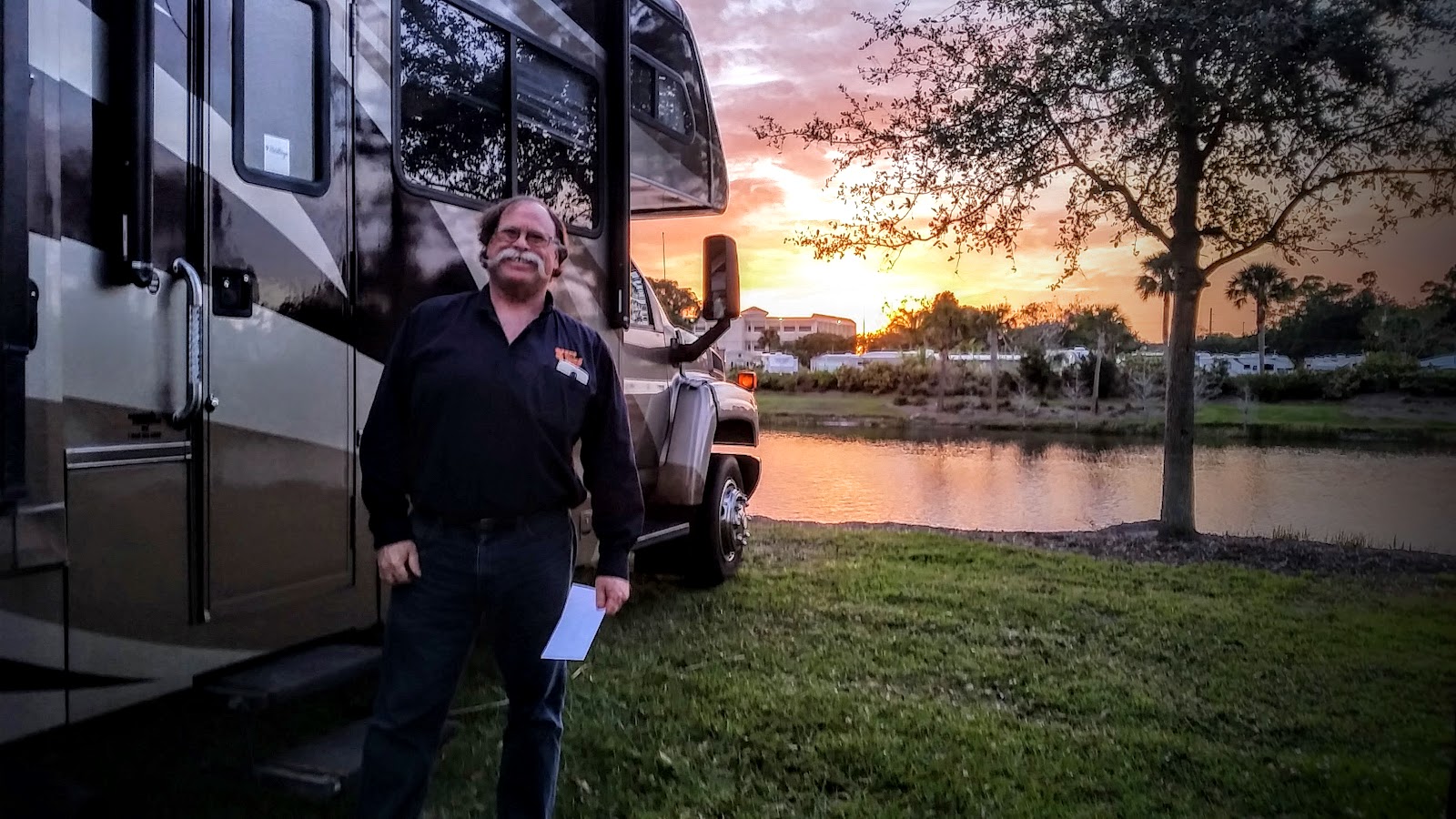
Anyway, we've been thinking about how to impart all of that in some simple card. Here's what we've come up with, let us know what you think. This is two sides of a "Rack Card" (what I'm holding in the photo above) designed using Canva.com.
Watch our Weekly Online Show on Learning Smartphones and Tablets!
Thursday, February 02, 2017
Teach and Learn - Google Photos
Yesterday was an all day, all night, Google Photos day. In the afternoon we had a 3 hour personalized teaching workshop for 4 people with iPhones.
I love these small groups because I really get to connect with individual questions and learn what is important to people and how they learn.
And, I am challenged with each different phone and each student's goals. For example, Pat had an iPhone 6+ and that camera had the live photo feature where it takes 3 seconds of video along with the still photo. She wanted to be able to isolate one frame of the video portion as the still. I've always thought this should be the main purpose of the live photo, but in practice it can't be done. I promised to figure it out and write it up in our newsletter. I have figured out one way, but I'm still looking for a better way. It will be in our February newsletter. When it's done, you'll find it on our Newsletters page.
This seminar stressed us. We were already tired from the day, there was no time for jim to set up equipment because there was another seminar immediately before us. Jim had to set up while the previous presenter was still talking. And this class takes plenty of set-up. A computer, projector, sound system for computer. HDMI cable to project the iPhone screen, document camera to project the Android phone screen. While Jim was doing that, I recruited volunteers to pass out the paper handouts and got mentally prepared to present two hours of material in one hour.
I made sure that she is not in the photo above ... but she is in some of the other photos that I like, which got me to thinking ... how do I blur a face? I have a tutorial on how to blur a face with Picasa. I know it can't be done with Google Photos, but how about the companion photo editor Snapseed? Hmm, I'll work on that one too! I did find out how to do it, but it doesn't blur it enough ... the healing tool makes her totally unrecognizable, but it looks a little funny. I see another tutorial in the works!
Tuesday, September 13, 2016
Live Broadcast from Walmart Parking Lot Studios!
We were scheduled to present a Google Photos seminar to the Quad Cities Computer Society in Moline, Illinois on Monday night.
We were in our RV in New Jersey, and Monday was a travel day for us. We left the Jersey shore and headed south to go home to Florida. We planned to spend the night at an Elk’s Lodge in New Castle, Delaware after a stop near Atlantic City to visit with Jim’s Aunt Julie.
If you don’t know, many Elks lodges offer parking for their RVing members. We became Elks members during an Escapees RV Rally in Gillette, WY and, using our Allstays App to find them, we have stayed at many of them all over the country! We arrived at the Elks Lodge about 4:30 – perfect! We needed to go live on the web about 7:30 to present our seminar using Youtube Live Streaming services. We’ve stayed at this Elks Lodge before and really liked it. They have a nice big parking lot and one electric hookup for an RV. We were the only RV there.
As soon as we pulled in to their parking lot we started checking our phones for Verizon signal. We have an unlimited data contract with Verizon and we find they usually have the best speeds of any service wherever we are. We turn our phones into hotspots, I connect my computer to my “Mrs. Geek” phone hotspot and Jim connects his computer to his “Mr. Geek” phone hotspot. To do a Youtube Live Streaming event you need a fast Internet connection and plenty of bandwidth. We can easily burn thru a couple of Gigabytes during an hour show.
As I mentioned, we’ve stayed at this Elks Lodge before- on our way north in July – and I remembered there being good Verizon Internet signal here. Unfortunately, I have discovered that trusting my memory is a bad idea! I was only seeing 1 bar of 4G on my phone, Jim was down to 3G on his! A speedtest by Ookla showed less than 1Mbps – not nearly enough! This won’t work. We turned around and headed out in search of better Verizon signal.
We found a Walmart not too far away (also using our Allstays app!) and saw 5 bars of 4G and 16Mbps of upload speed! That will do (upload is more important than download for broadcasting.) Now to park and crank up the generator for electricity. Then to get the “studio” set up. We usually don’t put out the motorhome slides when we’re in a Walmart parking lot. It’s not good ‘etiquette’ to set up camp for an overnight parking lot stay. But there just isn’t enough room for everything with the slides in, so we compromised, parked in such a way that the one necessary slide was on the curb side and we put it out.
All looked good, and we connected with our audience with plenty of time to spare. Just as Jim was about to click the button to “Go Live” his phone’s hotspot crashed. No clue why. He quickly connected to the MrsGeek hotspot and we continued on! We demonstrated Google Photos for about 40 minutes then took questions from the audience. Somehow Chris’ microphone went missing early on, where DID our stage manager go?
Although we had a live audience in Moline, Illinois, anyone in the world could have tuned in because of the way Youtube works. For a worldwide broadcast from our RV in a Walmart parking lot – I think we did pretty good! Since Youtube automatically records, you can watch the presentation now if you’d like by clicking on the image below.
Here’s what Judi, the president of Quad Cities Computer Society wrote to us afterwards,
Chris, thanks to you and Jim. As always you did a great job and we really, really appreciate your time and effort.
I am sorry I did not interrupt you once I suspected there was a microphone problem. I thought at first it was a volume problem and turned up the speakers. But we did hear through Jim's Mic and I think being able to listen to the recorded version will help catch anything that I missed.
Your presentation helped me a lot and the book is a great resource. I know now MY confusion was about the computer not syncing like the mobile devices and the book lets me read and re-read about the correct methods for deleting photos from each source.
You guys are the best--your dedication to teaching is remarkable and NEEDED by so many of us "older" adults. I hope you continue for many more years.
Thanks Judi! Let’s do it again sometime!
Here’s a photo of our Walmart Parking Lot Broadcast Studio.
p.s. I’m writing this blog post from another Walmart parking lot! In North Carolina now.
Thursday, February 25, 2016
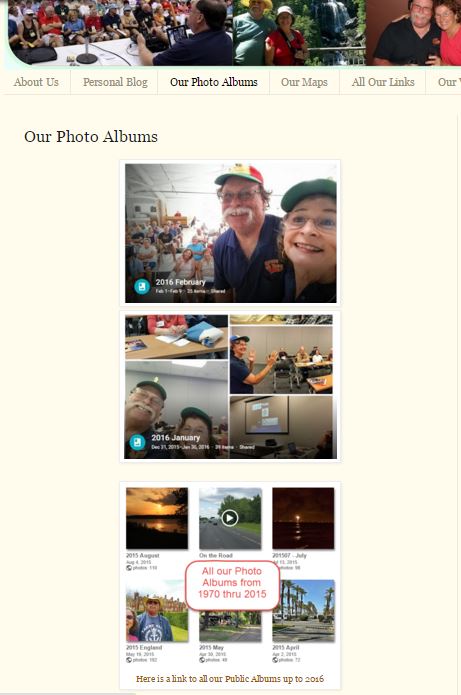
Photo Albums for the Blog
Any individual pictures showing in the blog will not be affected by the retirement. All pictures I've uploaded over the years to Picasa Web Albums are now visible using Google Photos, and Google assures us that the link that make those pictures show up in blog posts will continue to work just fine. But, the full page of ALL public web albums is a feature that they have decided not to continue in Google Photos. They may change their minds - things are always changing at Google - but for now there is no Google Photos link to all public albums. You can get a link to an individual album though, so I have created a page for this blog where I will post those.
To make it look pretty, I take a screen capture (using the Snipping Tool in Windows) of the Album cover. I post that graphic on the blog page, then link it to the Google Photos album. I will do this each month, adding the current month's album to the top of the page.
Check it out, click the "Our Photo Albums" tab at the top of this page. You should see a February album that you can click to see the whole album, a January album, and then a link to all albums before 2016 - using the PWA link to all public albums. I'm trying to get information from Google as to whether that will continue to work.
Wednesday, February 24, 2016
February Seminars
Other clubs are organized by groups who live in a particular retirement community, like Valencia Falls Computer and Technology Club. This is where Sam Wexler presides and he has taken it upon himself to let the other clubs know about us via an email blast. That is how we got booked for 6 presentations in February. Then we also presented at RV parks for 4 more seminars. Add to that our Sunday online shows, and we presented 14 seminars this month from the west coast of Florida to the east, and even one remote presentation in California.
![]() |
| Cascade Lakes |
![]() |
| Nice big screens in some communities ballrooms! This is Cacades in Port St. Lucie |
![]() |
| The ballroom was our room for the Cascades computer club |
![]() |
| Geek Week at Riverside RV Resort. Check out our new floor-stand banners! |
Watch our Weekly Online Show on Learning Smartphones and Tablets!
Monday, February 15, 2016
Work Across the State and Across the Country, in One Day!
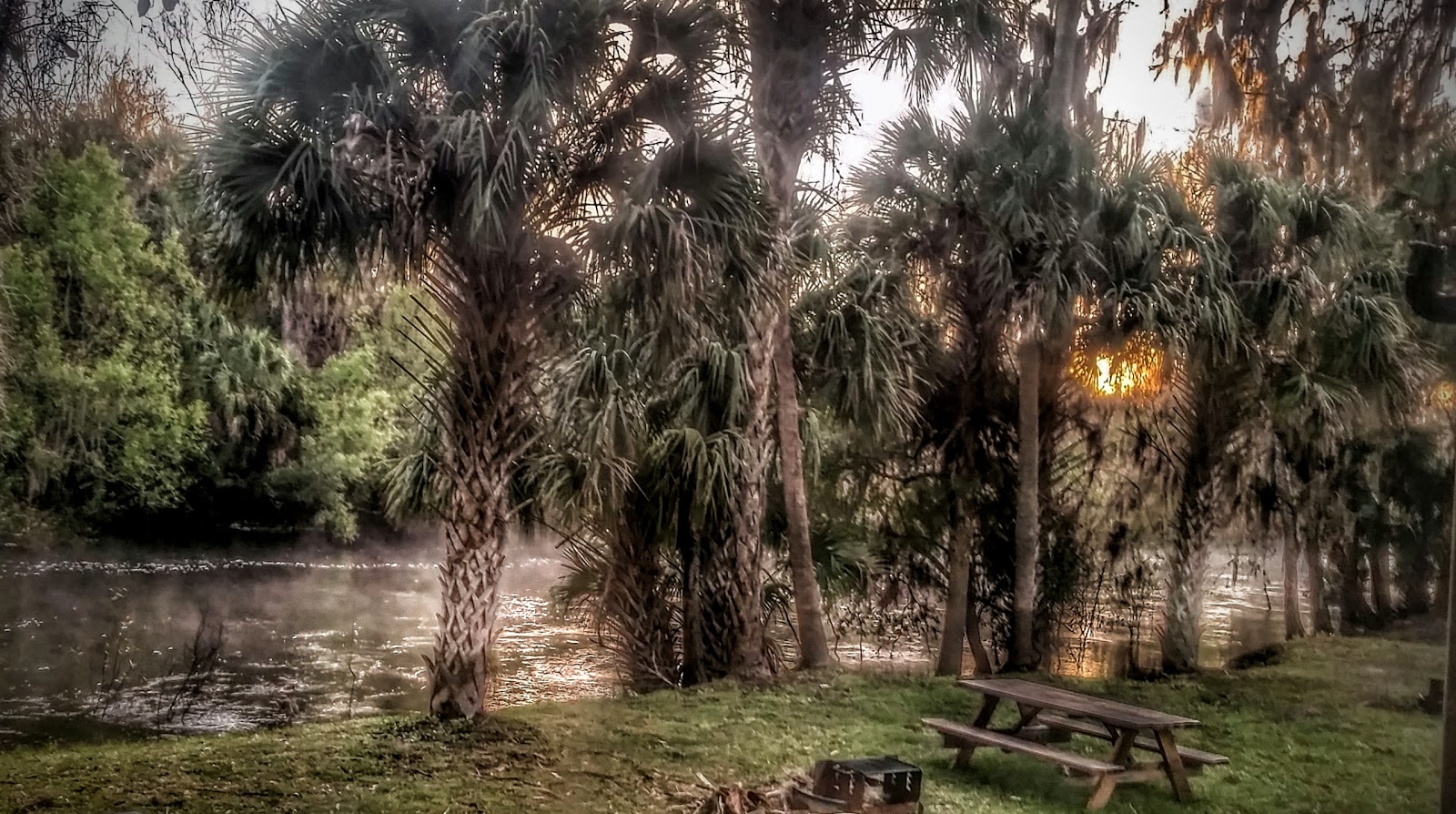
We were staying at the Thousand Trails, Peace River and had to get up and be on the road by 8 in order to get to Sarasota to deliver a 10am presentation to the MiceKTeers computer club. I hate to leave any place that early - but I always hate to leave the beautiful Peace River.
![]() |
| Our parking spot on the Peace River |
![]() |
| Had a good group for our Google Photos / Picasa Seminar for the MiceKTeers Computer Club in Sarasota. |
Sarasota is on the west coast of Florida. On Wednesday we're booked at a computer club in Port St. Lucie which is on the East Coast of Florida, so, after the Sarasota gig, we got back in the RV and drove across the state. This time of year in Florida, you need reservations if you expect to get a site at an RV park, and we didn't even try. We found an Elks Lodge in Port St. Lucie who said, sure! We have room in the field out back. No hookups, but it was a nice field overlooking a pond and it had GREAT Internet service from a Verizon tower right next door.
![]() |
| Our parking spot at the Elks Lodge in Port St. Lucie |
![]() |
| Photos sent to us from the Laguna Woods, CA club where we did a remote seminar on Google Photos |
It's a good thing we love what we do! And do we ever!
Tuesday, September 15, 2015
Geeks on Tour ... For Sure!
They had a large parking area marked off for us:
It was a good group - we thought the seminar went quite well. It was also live streamed over the Internet using something called Zoom. If we get a link to a recording, we'll post it here. And here's some comments we got afterward:
We really got a lot out of your presentation. I intend to use Picasa and Google Photos. The others, iPhotos, Aperature and Apple Photos didn’t stir up my interest enough to really put the time into learning them.
Today's presenters were terrific! Both my wife and I found their presentation to be extremely helpful and very current. Jim and Chris could not have been any better!We left Fairfax about 4:30 headed to our next stop in Raleigh, N.C. to do our weekly streaming show, "What Does This Button Do?" We were scheduled to do this week's show at the home studio of Martin Brossman about 270 miles away. We just needed to get on down the road, so we stayed in a Walmart parking lot that night, got our grocery shopping done, and made it to Martin's by 11am on Sunday. He has a nice big driveway!
This is a live show ... aka STRESSFUL! You have to wait until showtime to click the button that reads "go live" and, guess what! The button simply wasn't there! This was our 52d show and we'd never had this problem before. Jim had to quick set up an entirely new show stream. But, he did it! And Martin was great for rolling with the punches. We got started about 12 minutes late, but continued on with a successful show. The topic was the Amazon Echo and Martin runs a community on Google Plus about it. Click the image below to go to the community and learn more.
After the show, we went out for dinner and had a GREAT time with Martin. We are definitely "Geeks-of-a-Feather." He shared with us his expertise on Social Media for Business - and gave us a copy of his book. We shared with him our expertise on Google Photos and gave him our library-on-a-drive of all our videos and eBooks.
Then we got back on the road again sometime after 5. We really don't like to drive at night, and had no place we needed to be for a couple of days, so after a couple hours, we just found a rest area and pulled off. We cranked up the generator for power, threw something in the microwave for dinner, read emails for a while, and went to bed.
![]() |
| Home for the night - 9/13/15 |
Then, a presentation for the Hilton Head Island Computer Club (click the image to view their website):
And, the next 2 days we have presentations for the Sun City Hilton Head Computer Club.
Thus is the life of the Geeks on Tour!
Further your computer education**Subscribe to the Free Geeks on Tour Newsletters**
Watch our Weekly Online Show on Learning Smartphones and Tablets!
Monday, March 30, 2015
FMCA Rally in Pomona
This is the 3d time we’ve presented seminars at the FMCA in Pomona. The first was in March, 2006 when we were still working for Coach Connect. The owners of Coach Connect didn’t even come to this one, they left us on our own to run the Wi-Fi hotspot and present the Wi-Fi seminars. The seminar coordinator also asked us to do an additional seminar on communications on the road. After that, Coach Connect didn’t go to the rallies any more, but the seminar coordinator (Mary Ann Crowley) still asked us to come and present anyway. The next time we went to Pomona was February 2008 we were Geeks on Tour by then and we gave Blogging, Picasa, Photo Story seminars in addition to Internet connections on the road. That was also the first time we saw Herman’s Hermits and loved them! So, we were extra excited this year that Herman’s Hermits were performing again.
Here we are presenting one of our seminars this year:

The special thing this year was that we enlisted help at our table. Our good friend Lynne flew down from Oregon and stayed with us. She was a great help both at our table during the day, and for having fun at night!


Here are the two Geeks on Tour and one ‘Geek for a Week” – Lynne always comes up with the best words!

We had a very special parking spot right by the seminar buildings. So we hosted happy hour a couple of evenings. Lots of friends here, Phil and Tracey of TechnoRV, Kim and Don of Harvest Hosts, Curtis of RVillage, and more.

Attendance was down this year, but we still had some nice seminars. Smartphones is the most popular right now. We teach basic terminology as well as demonstrating a few of the ‘oh-wow’ features like the ability to use the front-facing camera to put yourself into a picture that you’re taking of the audience. And, we had the Samsung All Cast device set up so that whatever was on our phone’s screen could be seen on the big screen projected to the audience.

I always especially like it when we teach hands-on workshops. We limit attendance to 20 and have them learn by doing. Here they’re exploring the features of their cameras by doing exercises we give them. Even if they already know the basics of the exercise, they discover other things in the process.


The weather was beautiful and everything went smoothly as planned. The best part for me was Herman’s Hermits playing again. Peter Noone may be getting older but he’s still just as cute as ever, and even cuter when he makes fun of himself for getting old. In one bit he said how exciting it was to be playing at the Fairplex in Pomona … he remembers having a discussion with fellow British musician Mick Jagger that “someday we’ll know we’ve made it, when we play the Fairplex in Pomona!” He had the audience roaring with laughter, and several of us standing in the aisles were dancing up a storm to the music. FUN time.