

 There was swing music playing and all these people dancing!
 And, lots of people flying kites.

 There was swing music playing and all these people dancing!
And, lots of people flying kites.
There was swing music playing and all these people dancing!
And, lots of people flying kites.
 We heard about this RV park (Mission Bay RV) from someone who told us how good the WiFi was here. And, when we checked it out, we found that it was half the cost of the other park in the area (Campland on the Bay). So here we are. When we checked in we mentioned the WiFi and were told not to expect much, that they seem to have lots of problems and get lots of complaints. You could tell she didn't really want to talk about it - but she brightened up when we said the good things we had heard.
y'know, the night before, at the park that had no Internet - that person seemed quite happy to tell us that they had NO Internet. It's so much easier than explaining what they do have and how it works ... or doesn't! Poor RV park personnel! And, this one is even free. Anyway, Jim said, "I'll bet it will work just fine for us." And, indeed it does. It's working just fine for Lynne and John also.
But, here comes the interesting part.
One of their handouts when you check in is a document called, "Mission Bay RV Park Wi-Fi Information and Troubleshooting Basics". I started reading it with interest. When I got to the part that says, "The basic troublshooting process:" I started getting a distinct feeling of deja vu.
1. Is the Wi-Fi adapter on and functioning? ....
2. Is the Wi-Fi adapter sensing the availability of the wireless network? ...
3. Is your Wi-Fi adapter able to connect to the wireless network? ...
4. Has the wireless network connection been assigned a valid IP address? ...
By the time I got to #5, I *knew* I had read these words before. In fact, I *wrote* these words! I'd forgotten all about that article I wrote a year and a half ago, but there's a lot of good WiFi advice in it. Their handout goes on for another page of helpful hints such as:
We heard about this RV park (Mission Bay RV) from someone who told us how good the WiFi was here. And, when we checked it out, we found that it was half the cost of the other park in the area (Campland on the Bay). So here we are. When we checked in we mentioned the WiFi and were told not to expect much, that they seem to have lots of problems and get lots of complaints. You could tell she didn't really want to talk about it - but she brightened up when we said the good things we had heard.
y'know, the night before, at the park that had no Internet - that person seemed quite happy to tell us that they had NO Internet. It's so much easier than explaining what they do have and how it works ... or doesn't! Poor RV park personnel! And, this one is even free. Anyway, Jim said, "I'll bet it will work just fine for us." And, indeed it does. It's working just fine for Lynne and John also.
But, here comes the interesting part.
One of their handouts when you check in is a document called, "Mission Bay RV Park Wi-Fi Information and Troubleshooting Basics". I started reading it with interest. When I got to the part that says, "The basic troublshooting process:" I started getting a distinct feeling of deja vu.
1. Is the Wi-Fi adapter on and functioning? ....
2. Is the Wi-Fi adapter sensing the availability of the wireless network? ...
3. Is your Wi-Fi adapter able to connect to the wireless network? ...
4. Has the wireless network connection been assigned a valid IP address? ...
By the time I got to #5, I *knew* I had read these words before. In fact, I *wrote* these words! I'd forgotten all about that article I wrote a year and a half ago, but there's a lot of good WiFi advice in it. Their handout goes on for another page of helpful hints such as:
Now I'm dancing around the coach laughing! I'm famous! But, nobody knows it. No, I'm not at all angry. I wrote that article to be helpful to people using WiFi. I'm glad it is. A link so people could read more might be nice, but, as for them 'borrowing' my words - I do believe that imitation is the sincerest form of flattery!"Internet Explorer settings on the user's computer.Many people who normally use dial up need to go into Internet Explorer, Tools, Internet Options, Connections and click on 'Never Dial a Connection'. Another issue is found on Internet Options, Connections and LAN settings: If 'Use a Proxy Server" is set to yes, you won't be able to browse because there is no Proxy Server. "
 One thing we learned there is that there are still parks with no WiFi Internet! Imagine that?! In fact, they seemed almost proud of the fact that there was no Internet there at all. WhatEVER are people going to do there? I mean you can't boat, fish, hike, read, play bingo, watch TV, swim in the pool, soak in the spa ... all the time. Can you?
Actually, I found it quite refreshing to know that all these RVers could live without WiFi. I almost found myself hoping that the trees (a lot of them) would prevent us from getting online with our satellite dish :-) But, no such luck, it worked like a champ. We were online within 10 minutes of pulling into our site. We still found time to take advantage of the spa though - it was nice and hot.
One thing we learned there is that there are still parks with no WiFi Internet! Imagine that?! In fact, they seemed almost proud of the fact that there was no Internet there at all. WhatEVER are people going to do there? I mean you can't boat, fish, hike, read, play bingo, watch TV, swim in the pool, soak in the spa ... all the time. Can you?
Actually, I found it quite refreshing to know that all these RVers could live without WiFi. I almost found myself hoping that the trees (a lot of them) would prevent us from getting online with our satellite dish :-) But, no such luck, it worked like a champ. We were online within 10 minutes of pulling into our site. We still found time to take advantage of the spa though - it was nice and hot.
 One of our neighbors noticed the dish and we started talking. They had been taking their laptop into town to use the WiFi at the local library. Jim set him up to use our signal and they were very happy to be able to check their email from home for a change.
 That's Jess - the one with the big smile on his face! Jess and his wife Harriet are from Abbotsford B.C. They spend 3 months every year on the road in their motorhome. How much you wanna bet that those 3 months are always January, February and March?! Snowbirds eh?
This morning we continued on I-8 headed for San Diego.
That's Jess - the one with the big smile on his face! Jess and his wife Harriet are from Abbotsford B.C. They spend 3 months every year on the road in their motorhome. How much you wanna bet that those 3 months are always January, February and March?! Snowbirds eh?
This morning we continued on I-8 headed for San Diego.
 We passed these spectacular windmills. Either they are the biggest ones we've ever seen, or we were closer than we've been to any others.

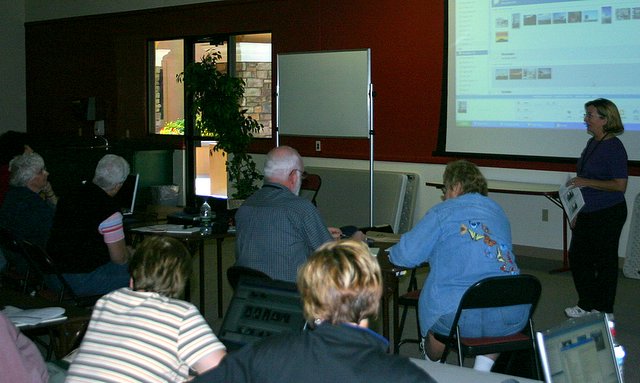

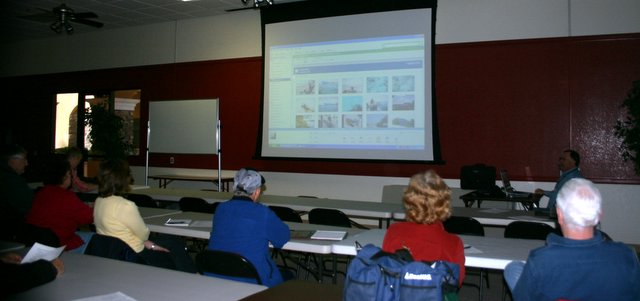 This is the computer club at Palm Creek. We did a presentation on Picasa. It was so great to show people how to do something fun for a change. And Picasa IS FUN.

